At work on Mac
NeAntik
Profiles, proxies and two engines: Chromium and WebKit.
TWO BROWSERS · DIFFERENT DEVICES
NeAntik for Mac and Vision Dolphin for iPhone and iPad are two separate browsers for your projects, tabs and website data.
The apps work separately, each with its own settings and data. Explore the features ↓
At work on Mac
Profiles, proxies and two engines: Chromium and WebKit.
On iPhone and iPad
Profiles, private sessions and favorites on your device.
DEMONSTRATION SCREENS
Two devices · two apps
At your desk or on the go, each app has its own features and data.
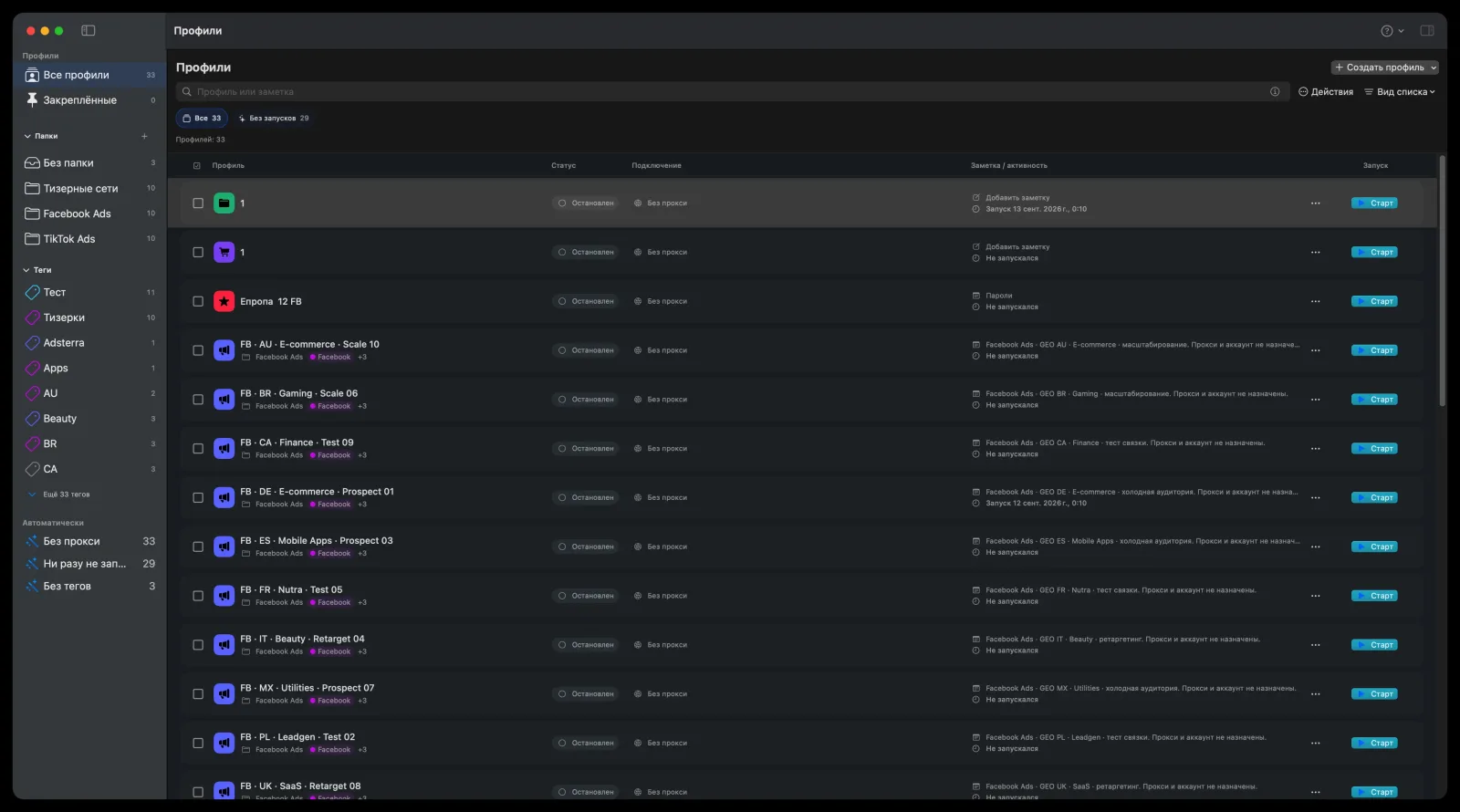
NeAntik keeps projects, proxies and website data separate on Mac.
Choose Chromium or WebKit when you create a profile.
In Vision Dolphin, website data is temporary by default; persistent storage is optional.
NeAntik for Mac
Explore profiles, settings and launch. Use the arrows or swipe through the screenshots.
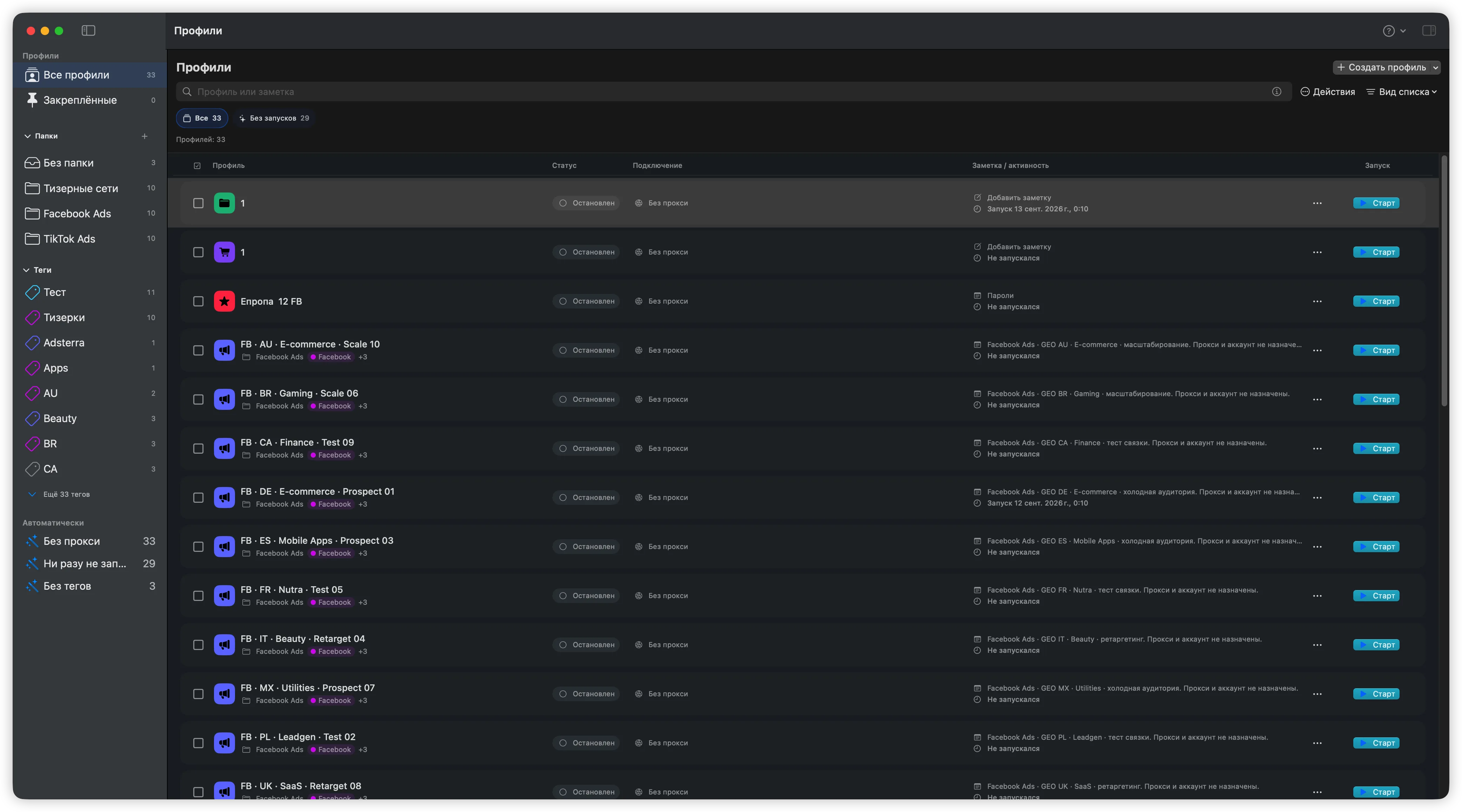
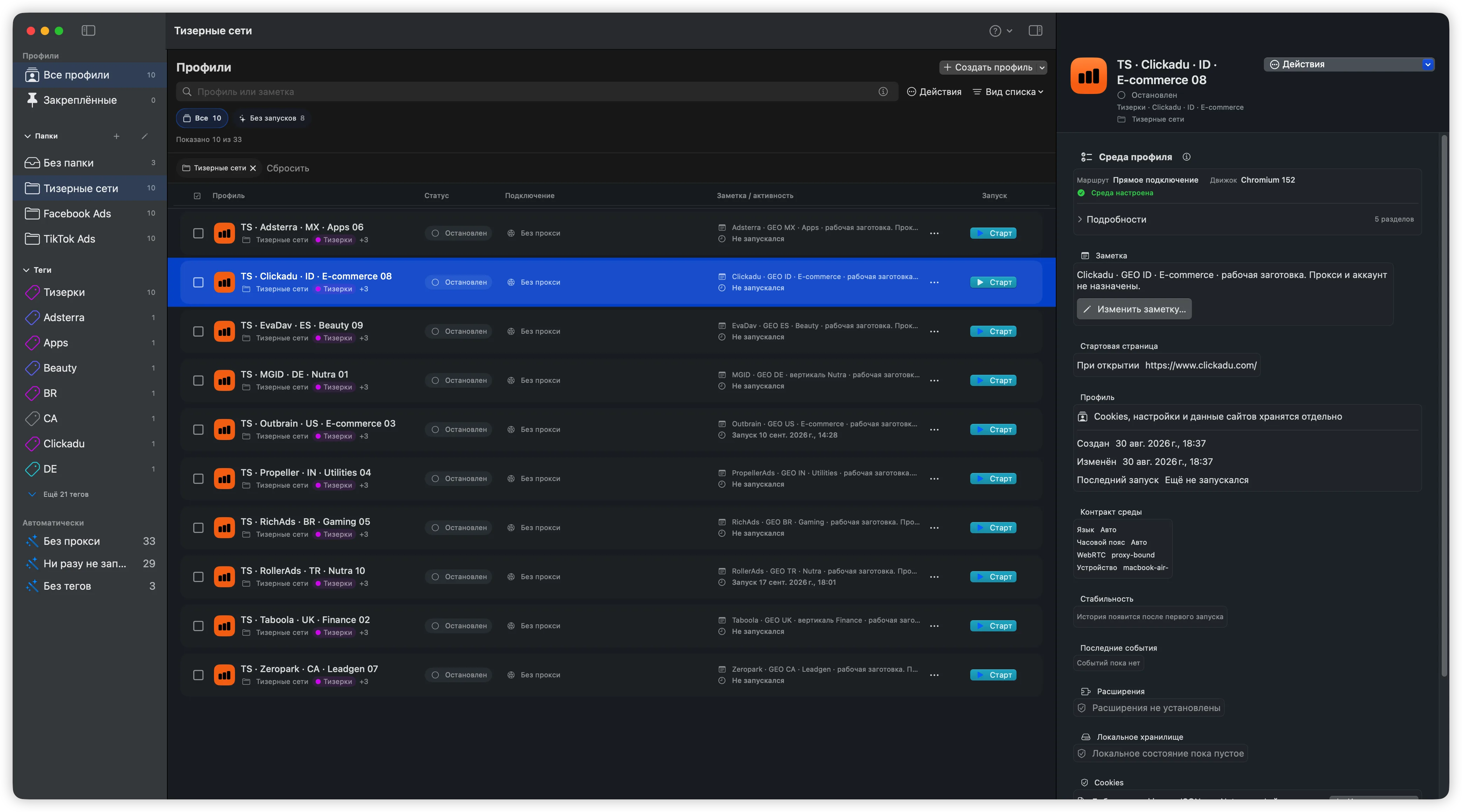
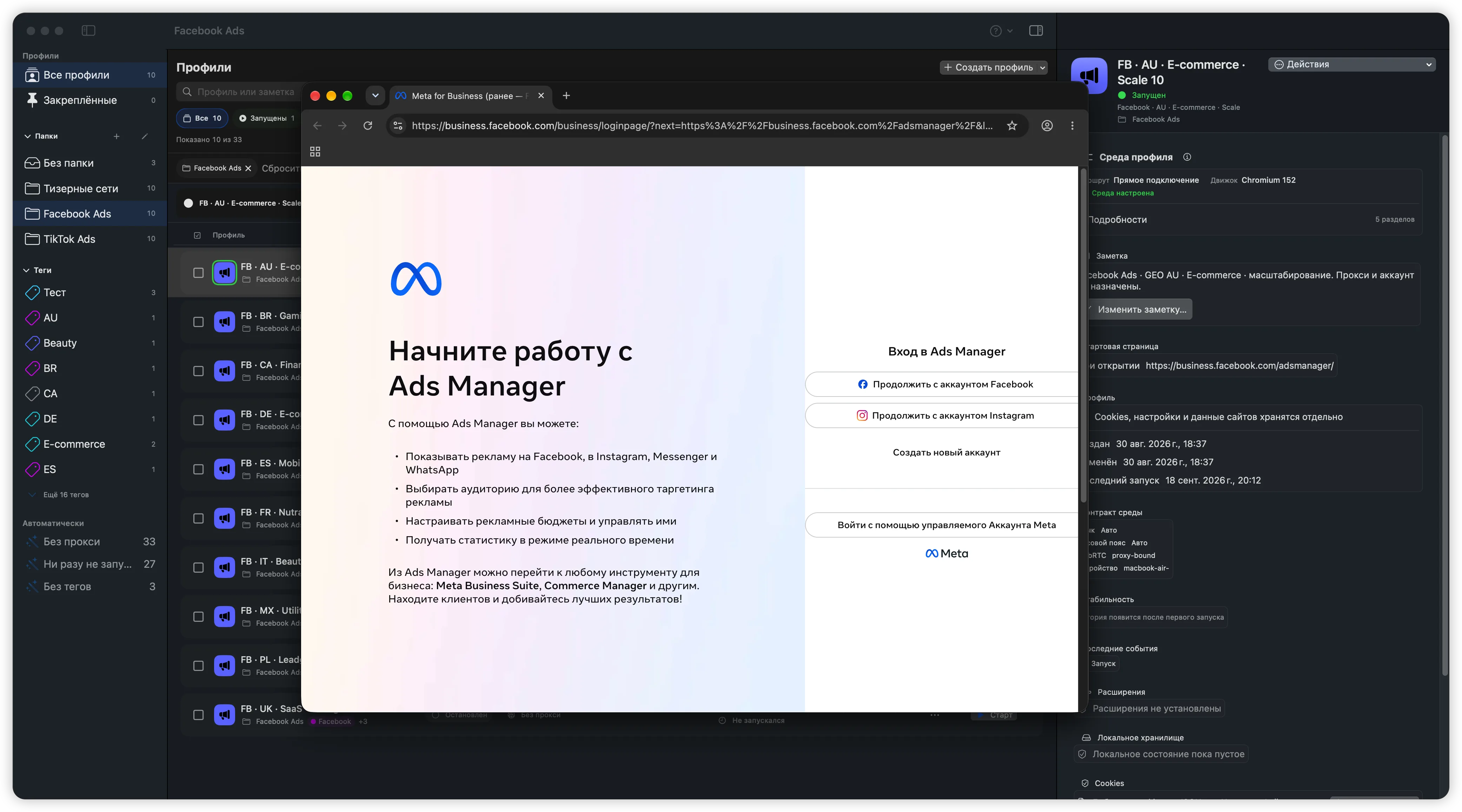
NeAntik interface. Screenshots show the Russian interface with demo data.
For iPhone and iPad
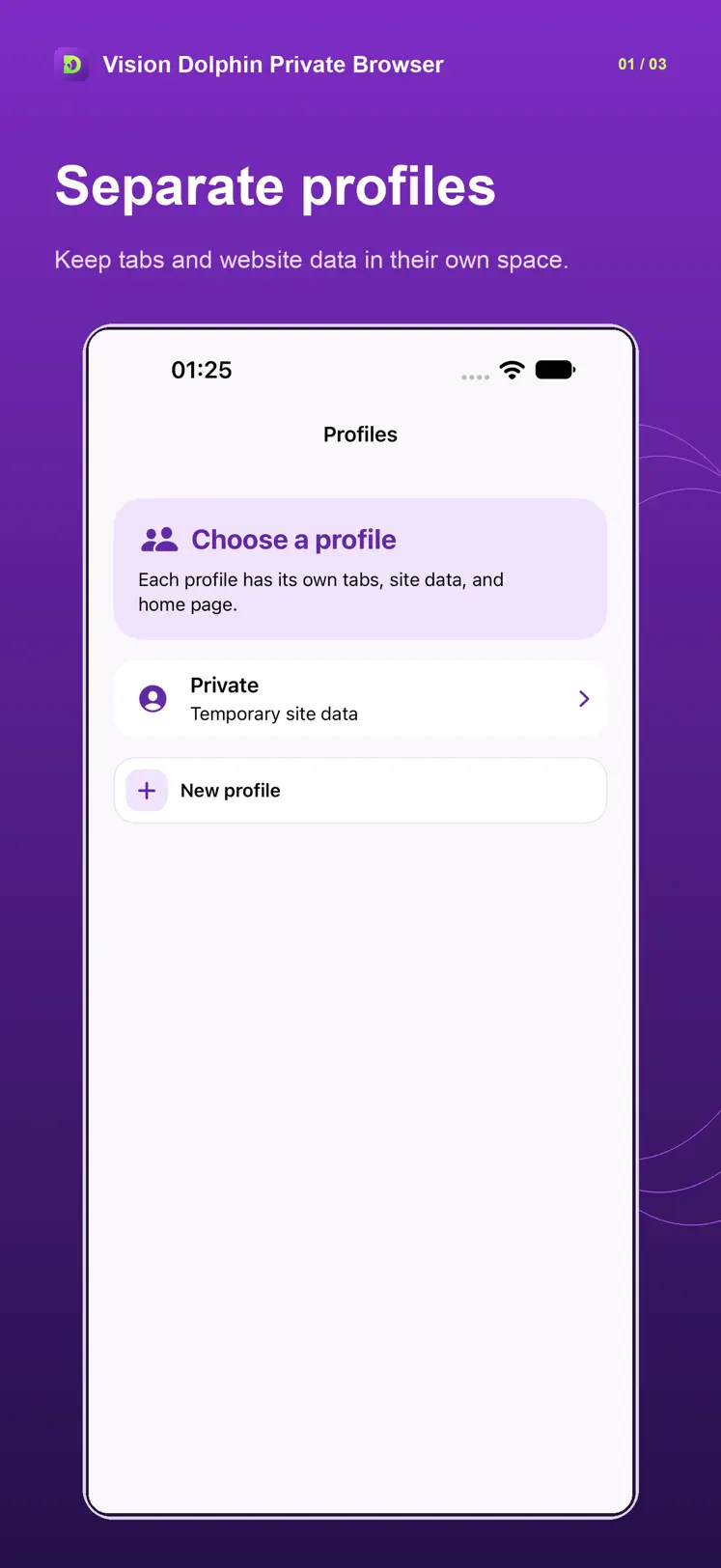
Vision Dolphin Private Browser is a separate browser for iPhone and iPad, with profiles and private sessions.
iOS and iPadOS 17 or later
WebRTC and some WebKit connections may use a direct route. A proxy does not guarantee anonymity.
Separate profiles 01 / 03
Profiles separate the sites and accounts you are authorized to use.
Cookies and local site data are stored separately for each persistent profile. Find profiles by name, folder or tag.
How data is stored ↗Use a direct connection or configure a proxy for a profile. Proxy credentials are stored in macOS Keychain.
Configure a proxy ↗Folders, tags, notes and search help you find a profile and see whether its browser is running.
Get started ↗Choose an engine when creating a profile. Each profile has its own site data.
Use the bundled Chromium runtime with per-profile proxy settings. Third-party extensions are restricted in protected modes.
Direct profiles use system WebKit. WebKit profiles with a proxy use the bundled runtime and require macOS 15.4 or later.
WebRTC is blocked by default in proxied WebKit profiles. TURN relay-only mode can be enabled separately.
The built-in local MCP server can list, create and organize profiles, configure proxy endpoints and start a selected browser. Page automation and reading cookies are outside its scope.
Free for Apple Silicon Macs. No registration or subscription.
Google Safe Browsing is disabled in NeAntik.
The app interface is available in English and Russian.
Profiles are stored on your Mac. Proxy passwords are stored in macOS Keychain. NeAntik does not require a cloud account.
Stop your profiles, quit NeAntik and replace the app in Applications with the DMG or ZIP from the current release. Keep the profile data folder.
No. Sites, network providers and proxy services apply their own policies. Profile isolation does not guarantee a particular decision by a site.
NeAntik is for Apple Silicon Macs. For iPhone and iPad, our separate Vision Dolphin Private Browser is available on the App Store. There is no Android app.
Choose your device